
How to Get Internet on Royal Caribbean Cruise in 2026

Table of contents

- How Does Royal Caribbean Internet Work?
- Royal Caribbean Internet Packages and Prices
- How Much Is the Internet on Royal Caribbean?
- How to Buy and Activate Royal Caribbean Internet Packages
- Is There Internet on Royal Caribbean Cruises?
- How Internet activation works onboard
- eSIM vs Royal Caribbean Wi-Fi: Which Is Better?
Share
Share
Yesim virtual SIM card for travelers
Get a 10% discount for your first purchase with the code
One of the usual pre-cruise concerns is the Internet. Individuals desire messages, maps and expediency online. Some need it for work. Some simply desire to remain in touch. Royal Caribbean provides Voom Wi-Fi. It works across most routes. The pace is improved than in older ships. The price is the main issue. The cost of daily fees can be cumulative particularly when the cruise is long.
Many travelers do not need the internet all the time. Most online use happens in ports. Because of that, options like eSIM for Royal Caribbean cruise routes can reduce costs. This text looks at prices, packages, and practical ways to stay online without overpaying.
Is There Internet on Royal Caribbean Cruises?

Yes. Every Royal Caribbean ship has onboard internet. It is part of the ship’s basic infrastructure, not an extra feature on selected routes. The connection runs through the Voom system, which is designed for use at sea.
The service is sold as a Royal Caribbean internet package, not as free access. Guests choose between two options. Surfing is meant for simple tasks. Messaging apps, email, news sites, and light browsing work without issues. Surf + Stream is built for heavier use. It allows video calls, social media video, and streaming platforms.
The network behind both plans is known as Royal Caribbean Voom internet. It relies on modern satellite connections and performs better than older cruise Wi-Fi systems. Speed is usually enough for daily needs, but it can change during peak hours.
Internet access is available on most itineraries. This includes the Caribbean, Europe, and Alaska. The signal works both near land and in open water. Still, short drops can happen during bad weather or in remote areas.
🛳️ Read also: TOP-5 best cruise destinations in the Caribbean to visit
How Does Royal Caribbean Internet Work?
Royal Caribbean provides internet through satellite systems. Newer ships use the Starlink network. Older vessels may still rely on traditional maritime satellites. The system connects the ship to space, not to coastal cell towers.
This setup works differently from land Wi-Fi. The ship is always moving. The signal travels a long distance. Because of that, performance depends on several factors. Key points that affect the connection:
- Ship location and distance from land.
- Weather conditions at sea.
- Number of active users onboard.
- Time of day and peak usage hours.
Starlink improves speed and reduces delay. Pages load faster. Messages send quicker. Video calls are more stable than before. This is a clear upgrade compared to older cruise systems. Still, it is not perfect.
Many travelers ask how does Royal Caribbean internet package work in real use. The answer is simple. It works well for daily tasks. Email, messaging, and browsing are usually fine. Streaming and video calls depend on traffic and location.
The onboard network is managed through Royal Caribbean WiFi systems. These are optimized for general use, not constant high-bandwidth activity. The internet is reliable for communication and planning. It is not designed to replace home or office broadband.

Royal Caribbean Internet Packages and Prices
Royal Caribbean sells internet access as daily plans. These plans are part of the Voom service. Guests choose the option that fits how they use the internet. There are two main packages:
- Surf: This plan is for basic use. It covers messaging apps, email, news sites, and social media feeds. Photos usually load without issues. Video content is limited.
- Surf + Stream: This option allows heavier use. Video calls work more reliably. Streaming platforms like Netflix or YouTube are supported. Zoom and FaceTime are included.
Prices change by ship and route. Still, the Royal Caribbean internet package price follows a similar range across most cruises. Typical daily costs look like this:
- Surf: around $17 per day.
- Surf + Stream: usually $22 to $25 per day.
Buying the package for the full cruise often costs less than paying day by day. Prepaid plans usually come with small discounts. These deals are visible before departure inside the cruise planner.
All plans are sold per person, not per cabin. One device can be connected at a time unless stated otherwise. The structure of the voom internet package Royal Caribbean system makes it easy to upgrade later if needed.
How Much Is the Internet on Royal Caribbean?
The final price depends on the cruise length and the route. Short sailings cost less in total. Longer trips increase the bill fast, even with the same daily rate.
Many travelers ask how much is internet on Royal Caribbean before booking. The answer is simple when broken down by days. On a typical 7-night cruise, internet usually costs between $80 and $150 per person. The exact amount depends on the package you choose.
Basic plans stay closer to the lower end. Streaming plans push the total higher. When people ask how much is the internet package on Royal Caribbean, they often forget that prices are calculated per day, not per trip. What the price includes:
- Access for one person.
- One active device at a time.
- Unlimited daily usage within the plan limits.
What it does not include:
- Multiple devices at once.
- Guaranteed speed.
- Priority access during busy hours.
The Royal Caribbean internet cost also changes by ship. Newer ships with updated satellite systems may charge slightly more. Routes with more sea days usually feel more expensive because the internet is used more often.
For couples or families, costs multiply quickly. This is why many guests look for ways to limit usage or combine options during the cruise.
How to Buy and Activate Royal Caribbean Internet Packages
Royal Caribbean allows customers to choose the time they wish to purchase internet connectivity. Others are willing to do it prior to the cruise. Others wait until they are on board. Both alternatives are acceptable, and the experience is a little different.
Where to buy the package for my Caribbean travel
Before departure, internet plans are visible in the cruise planner and mobile app. This is where many travelers compare prices and look for internet package Royal Caribbean options that fit their needs. You can purchase internet in the following ways:
- On the official Royal Caribbean website before sailing.
- Inside the Royal Caribbean App.
- Through the onboard Wi-Fi portal after embarkation.
Buying in advance is usually cheaper. It also saves time on the first day, when many guests try to connect at once.
How Internet activation works onboard
The Internet is only activated on board the ship. The network is available soon after embarkation, and works equally across all ships. In order to connect, do the following:
- Join the ship’s Wi-Fi network (Voom).
- Open your browser to access the Royal Caribbean wifi login portal.
- Choose a plan and confirm payment.
Once activated, the plan starts counting by calendar day. Even a late-night connection still counts as one full day.
Simple habits help avoid issues. Turn off automatic updates and cloud sync. Use only the devices you really need. This keeps speeds stable and helps you get the most value from available Royal Caribbean internet deals.
Is the Internet Free on Royal Caribbean?
No, the internet on Royal Caribbean ships is not free. Full Wi-Fi access always requires a paid plan. This applies to all ships and routes, regardless of destination or ship class.
The confusion usually comes from limited onboard access. Some functions work without payment, which makes people think the internet is included. The Royal Caribbean App opens without a package. It allows guests to check daily schedules, book activities, and use onboard chat. This access stays inside the ship’s system. It does not connect to the open internet.
Once you try to load a website, send an email, or open social media, the system blocks access. At that point, a paid Royal Caribbean WiFi is required. There is no free browsing option, even for short use.
Certain passengers may see small exceptions. Suite guests and higher loyalty tiers sometimes receive discounts or limited free access. These benefits vary by sailing and are not standard. They should be treated as a bonus, not an expectation. For most guests, the internet remains a paid service onboard. Knowing this early helps plan usage and avoid last-minute decisions.
eSIM as an Alternative to Royal Caribbean Internet

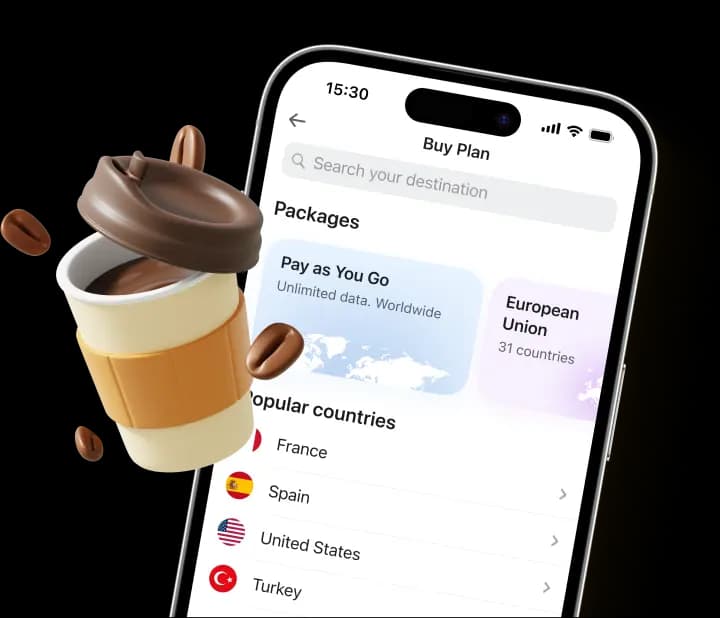
eSIM works well during port days. It does not replace onboard Wi-Fi. It solves a different problem. Most travelers go online when the ship docks. That is when maps, taxis, messages, and local searches matter. A Royal Caribbean eSIM connects your phone to local mobile networks on land. Once the ship reaches a port, the eSIM switches to a nearby carrier. This happens automatically. No physical SIM card is needed. Coverage usually includes the USA, Caribbean islands, the Bahamas, and Mexico, depending on the plan.
The choice is feasible since it does not have satellite constraints. Land-based mobile networks are more stable and fast. Pages load normally. Messaging is not delayed. Navigation applications are real-time. In case of short stops, this is usually all they require.
Pricing is predictable. Majority of eSIM packages on the cruise routes are priced at between 10-30 dollars. The validity is normally 7-15 days. It is usually cheaper than paying Wi-Fi charges on the ship on a daily basis. No daily fee will be charged after the plan is in place.
For travelers who spend little time online at sea, eSIM for cruise travel makes sense. It reduces costs and removes the pressure to stay connected all the time. Many guests use it alongside onboard Wi-Fi, not instead of it.
📳 Read also: Yesim unlimited data plan for your Caribbean adventure
Internet Coverage and Speed on Royal Caribbean Cruises
Internet performance on Royal Caribbean ships changes depending on location. Coverage is most stable near ports and along busy coastal routes. In these areas, the signal usually stays consistent throughout the day.
Speed is noticeably better on newer ships. Vessels equipped with Starlink handle traffic more smoothly. Pages load faster. Messages send without long delays. Video calls work better than on older systems. This improvement is most visible during off-peak hours.
In open ocean, conditions are less predictable. Northern routes and long sea days can bring short interruptions. Weather plays a role. Heavy clouds, strong winds, or rough seas may affect the signal. These drops are usually brief, but they do happen. Many guests expect the same experience they have at home. That is not realistic at sea. Even with modern systems, the network is shared by thousands of users. Evening hours tend to be slower as more people connect at once.
The best way to get internet on Royal Caribbean depends on expectations. For communication and planning, coverage is usually enough. For constant streaming or heavy work, limits are more noticeable. Understanding this helps avoid frustration during the cruise.
Tips to Save Money on Internet During Your Cruise
Internet costs on a cruise grow quietly. A few days online can turn into a large extra charge by the end of the trip. With some planning, this can be avoided. Small choices often make a bigger difference than the package itself.
Buy internet before the cruise
Prices are usually lower before departure. Inside the cruise planner, internet packages on Royal Caribbean often come with discounts of around 10–15%. These offers are limited and not always available onboard. Buying early also helps avoid last-minute decisions when the ship is already busy.
Use one package across devices
Each plan is linked to one account, not permanently to one device. You can switch between phones or tablets by logging out and back in. This works well for couples or families who do not need to be online at the same time. It is a simple way to reduce the Royal Caribbean internet cost without changing how you use the internet.
Rely on eSIM in ports
Most online activity happens on land. Maps, ride apps, messages, and quick searches are usually needed during port stops. Using esim Royal Caribbean routes allows you to connect to local networks instead of paying for satellite Wi-Fi all day. This is especially effective on Caribbean and US itineraries.
Prepare content offline
Downloading shows, maps, and documents before sailing reduces the need for constant access. Fewer active days online often lead to the cheapest way to get internet on a cruise, especially on longer routes.
eSIM vs Royal Caribbean Wi-Fi: Which Is Better?
The two choices address various issues. Onboard Wi-Fi is sea-day constructed, eSIM is land. It is possible to compare them only when the use case is obvious.
Voom Wi-Fi is functional when the ship is in motion. It remains in motion well off shore. That is its main advantage.
Meanwhile, it is also among the most costly extras onboard. Fees accrue very quickly, particularly when the routes are longer and shared. This is the design of internet packages on Royal Caribbean. Reliable, but not flexible.
Many travelers also ask how does internet work on Royal Caribbean in practice. The answer matters here. The connection is shared. Speeds change. Evening hours are slower. It works, but it comes with limits that are hard to ignore.
eSIM works on land and in the open sea. Once the ship docks, it connects to local mobile networks. A Royal Caribbean eSIM plan avoids satellite costs and uses standard cellular coverage instead. For maps, messages, and quick searches, this is often enough. Plans made as a travel eSIM for Caribbean and USA routes cover most common ports and cost much less than onboard Wi-Fi.
The most preferable is not to make a choice. It is combining both. Use Wi-Fi at sea when needed. Use eSIM in ports. It is a balance that maintains the access and costs in check.
Conclusion
Royal Caribbean cruises have internet which is not included. Anyone asking is internet free on Royal Caribbean should plan for extra costs. Onboard access is good but it is costly to be used continuously. eSIM provides an easier solution in the case of port days. It is less expensive, quicker on land, and it is less difficult to manage. Combining it with Royal Caribbean WiFi packages would form a viable combination. You are in touch at the right time, without spending beyond what is required.
Share
Share
FAQ
Can I share my Royal Caribbean internet package with my family or friends?
No, Royal Caribbean internet packages are sold per person and allow only one device to be connected at a time. However, you can work around this by logging out on one device and logging in on another device using the same account credentials. This works well for couples or families who don't need simultaneous access. Just keep in mind that you cannot have multiple devices actively using the internet at the same time under a single package. If your entire family needs constant access, you'll need to purchase separate packages for each person.
Does Royal Caribbean internet work when the ship is docked in port?
Yes, the Voom Wi-Fi system continues to work when the ship is docked in port. However, this is often when an eSIM becomes the smarter choice. While onboard Wi-Fi remains available, local mobile networks accessed through eSIM typically provide faster speeds and more stable connections since they use land-based cellular towers rather than satellite. If you're spending the day exploring the port, using eSIM can save you from paying for a full day of cruise Wi-Fi when you're mostly on land. Many travelers use onboard Wi-Fi for sea days and switch to eSIM during port stops.
Will my Royal Caribbean internet package automatically renew each day?
Yes, once you purchase an internet package for the duration of your cruise, it automatically renews daily until the last day of your sailing. The package is calculated by calendar days, not 24-hour periods, which means if you activate it late at night, that still counts as one full day. You cannot pause the package for specific days, once activated, it runs continuously. If you only need internet for certain days, you have the option to purchase day-by-day packages instead of the full cruise package, though this typically costs more overall.
Can I use VPN or access streaming services like Netflix with Royal Caribbean internet?
VPN usage is generally restricted on Royal Caribbean's network, and many VPN services may not work reliably due to the satellite connection. For streaming services like Netflix, YouTube, or Disney+, you'll need the Surf + Stream package, as the basic Surf package blocks video streaming. Even with the higher-tier package, streaming quality may vary depending on the number of users online and your ship's location. During peak evening hours, buffering is common. If streaming is essential, download content to your device before the cruise or during port stops using eSIM with local mobile networks.
What happens if I exceed my data limit on Royal Caribbean internet packages?
Royal Caribbean internet packages do not have data limits, they offer unlimited usage within the restrictions of your chosen plan (Surf or Surf + Stream). You won't be charged overage fees or experience throttling based on data consumption. However, the quality and speed of your connection depend on factors like network congestion, ship location, and time of day rather than how much data you've used. The "unlimited" nature means you can browse, message, or stream (with the appropriate package) as much as you want during each day your package is active, though actual performance will vary based on conditions at sea.
Recommended eSIMs

Pay & Fly
Unlimited data. Pay as you go
North America eSIM
3 countries

United States eSIM
from $1.72 / day

Canada eSIM
from $2.36 / day

Mexico eSIM
from $2.16 / day

Dominican Republic eSIM
from $6.08 / day

Jamaica eSIM
from $3.36 / day

Puerto Rico eSIM
from $2.20 / day

Turks & Caicos Islands eSIM
from $7.12 / day

Bermuda eSIM
from $6.60 / GB

Bahamas eSIM
from $6.80 / day

Saint Lucia eSIM
from $6.32 / day